Activate biiCADo
How to activate biiCADo with a license key
- Start biiCADo.
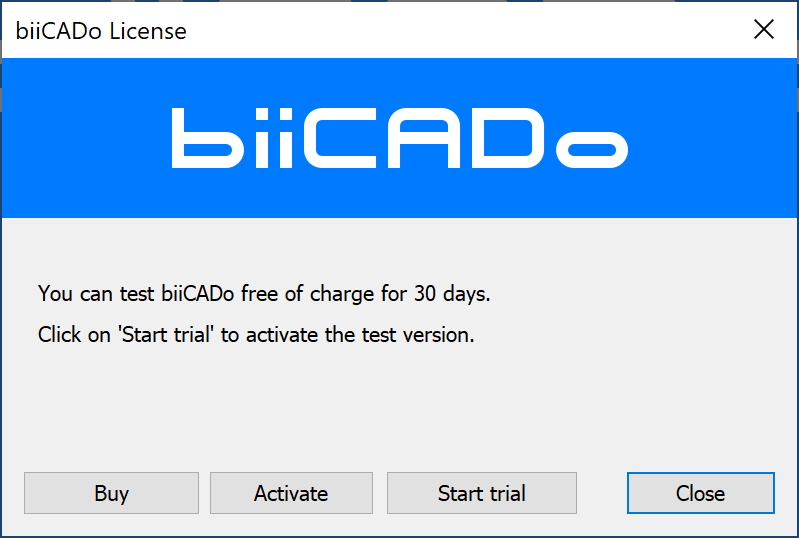
- Click the Activate button.
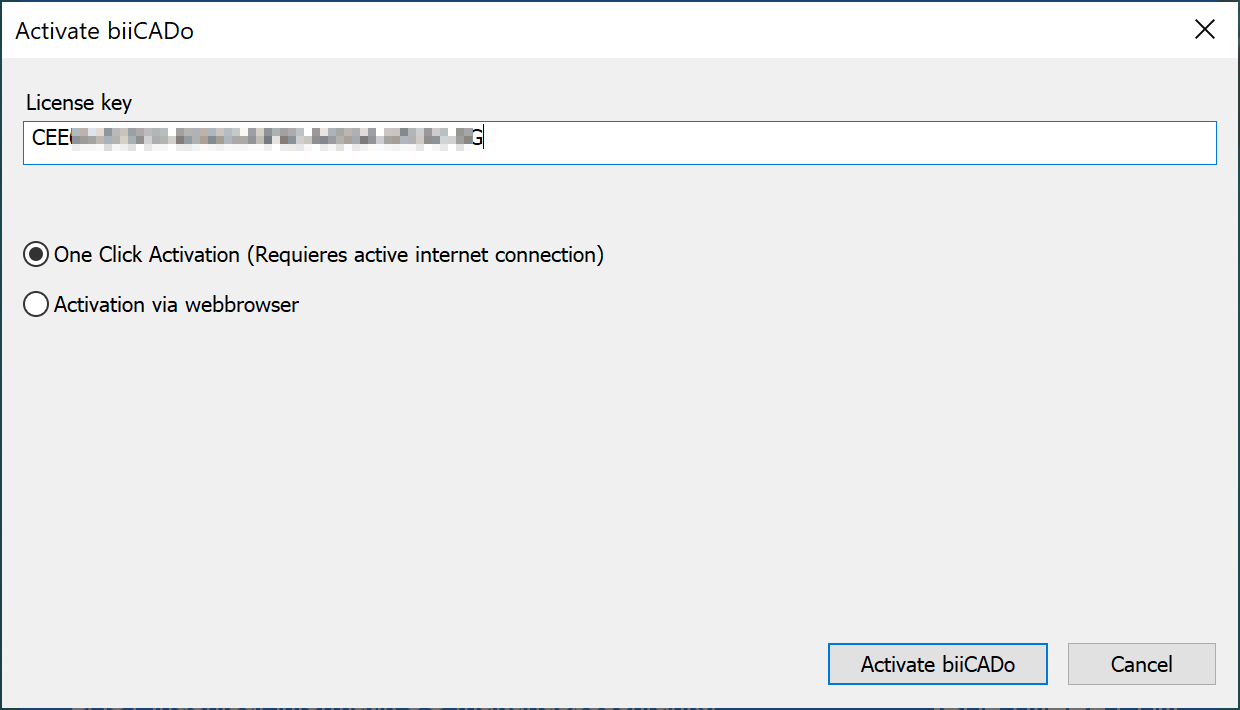
- Enter the License key that you received when you bought biiCADo.
- Select the option One Click Activation if there is an active internet connection .
- Then click on the Activate biiCADo button.
An activation key will be generated (this may take a few seconds).
Alternatively, you can activate via a web browser
- Select the option Activation via web browser.
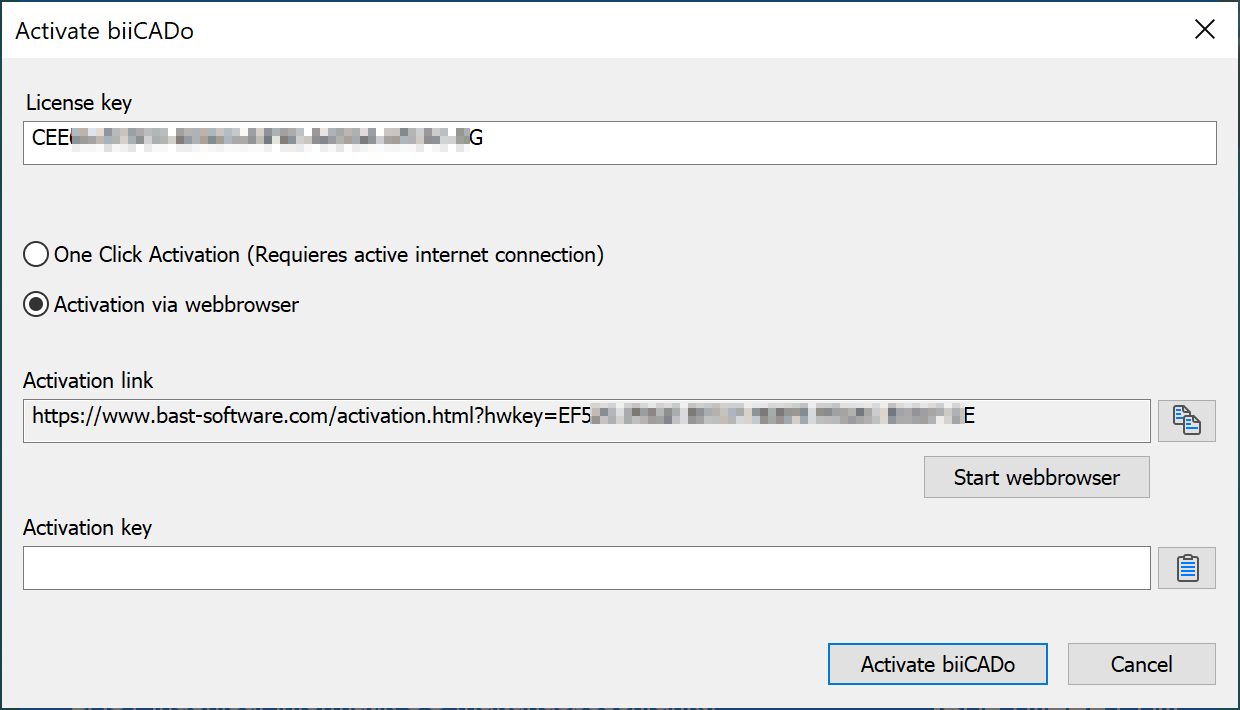
- Click the Start Web Browser button.
If the web browser does not start automatically, you can copy the link and paste it into a web browser.
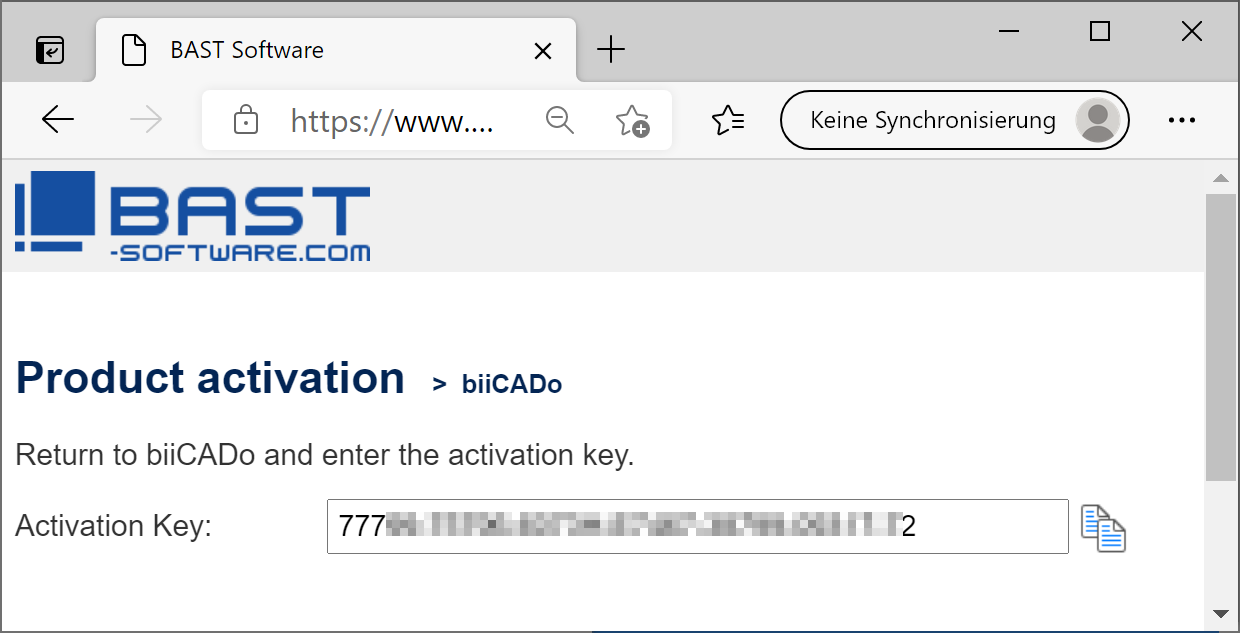
- Copy the Activation key and return to biiCADo.
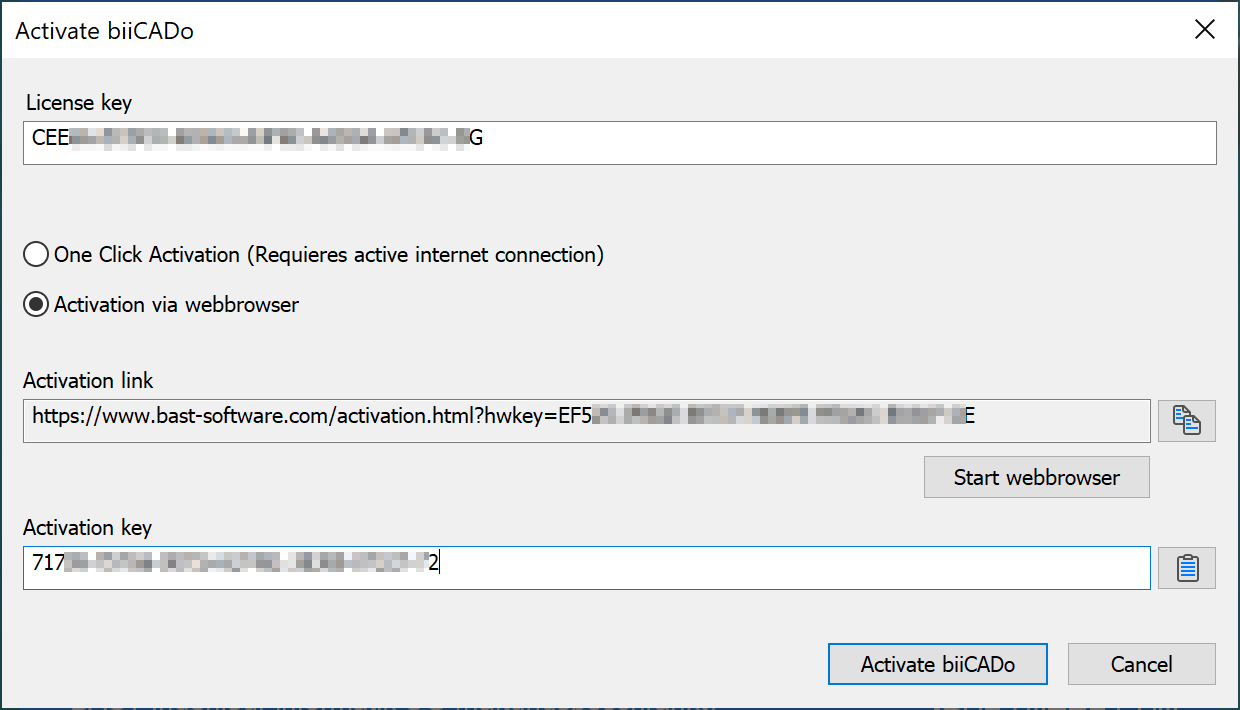
- Enter the Activation key.
- Then click on the Activate biiCADo button.