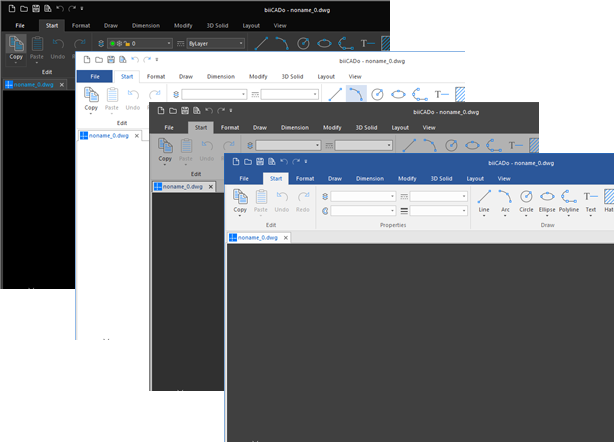
Color theme
You can change the colors of the user interfaces without having to restart biiCADo.
If you use biiCADo in a very bright environment in connection with a non-reflective display, we recommend a light color theme.
How to change the color theme:
- First close all open drawings.
- Click the icon Format > Background color
 on the Ribbon.
 - Select one of the following color themes from the list:
Black color theme
White color theme
Gray color theme
Blue / white color theme