Creating a Hatch
You can use the Hatch command to fill closed boundaries with a pattern.
How to open the hatch dialog:
- Click on Draw > Hatch
 on the Ribbon.
or
- Enter HATCH in the command window.
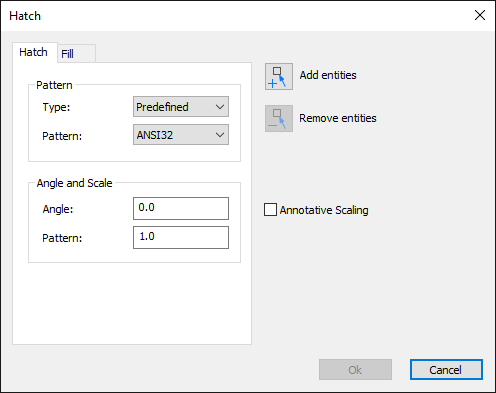
How to create a Hatch:
- Click on Draw > Hatch on the Ribbon.
or
- Enter HATCH in the command window.
- Click on the button
 to add boundary elements.
The hatching dialog is hidden. - Select the drawing elements in the graphics area so that there is a closed boundary.
- Press Enter to complete your selection.
The hatching dialog is displayed again. - Define the hatch properties.
To do this, choose between the Hatch or Fill tabs.
Hatch tab: Choose the pattern you want and set the angle and scale.
Fill tab: Select the color you want to fill the border with. - Click OK to insert the Hatch into the drawing.