Manage views
Use the ViewMan command to save, delete or restore views.
This is how you open the Views Manager:
- Click on View > View Manager
 on the Ribbon
or
- Enter VIEWMAN in the command window.
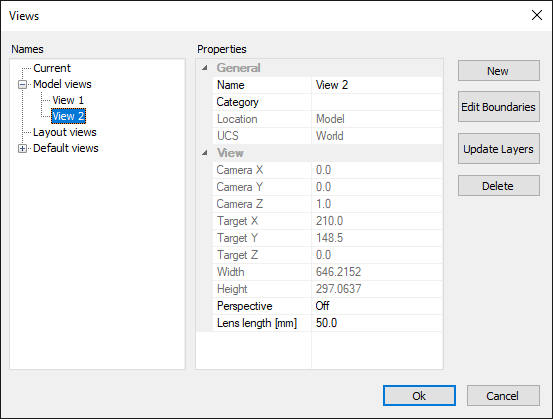
How to save a view:
- Go to the Views Manager.
- Click the New button.
- Enter a name for the view.
- Click "Ok" twice to complete the command.
How to restore a view:
- Go to the Views Manager.
- Select the view that you want to restore.
- Click on "Ok" to complete the command.
How to delete a view:
- Go to the Views Manager.
- Select the view that you want to delete.
- Click the Delete button.
- Click on "Ok" to complete the command.