Assigning a Plot style
You can use a Plot Style to control how objects in model space and paper space are printed. You can assign different Plot Styles to the individual layouts.
How to assign a Plot Style.
- Select the Model or Layout that you want to assign a Plot Style to.
- Click on File > Print
 on the Ribbon.
or
- Enter Plot in the command window.
- Select a Plot Style from the list.
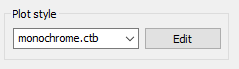
- Click on Ok to save the setting and print the drawing
or - Click on Accept to save the setting and to close the dialog.