Creating a Flat Representation of a 3D solid
You can use the FlatShot command to create a 2D representation of 3D solids based on the current view.
How to create a 2D representation:
- In the graphics area, specify a view of which you want to take a snapshot.
- Click on 3D Solid > Flatshot
 on the Ribbon.
or
- Enter FLATSHOT in the command window.
- In the graphics area, select the 3D Solids from which you want to generate a 2D representation.
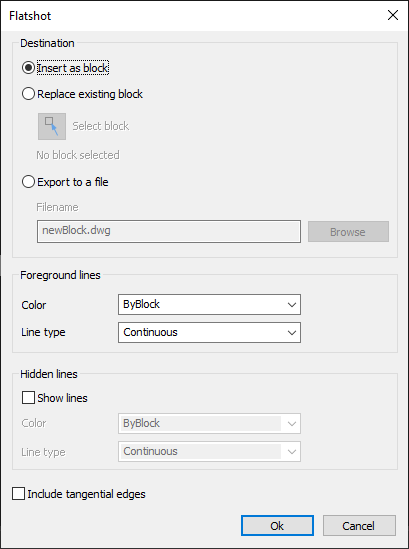
- In the dialog box, select an option for the destination of the 2D representation:
Insert as block: The 2D representation is inserted into the drawing as a new block.
Replace existing block: The 2D representation replaces an existing block in the drawing.
Export to file: The 2D representation is saved in an external drawing file.
- Click OK to end the command.