Creating a PDF
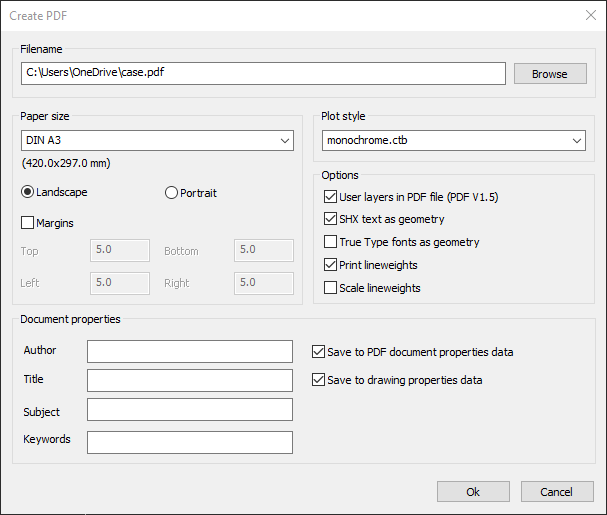
With the ExportPDF command you can create a PDF document of the drawing.
How to create a PDF document of the drawing:
- Click on File > Create PDF
 on the Ribbon.
or
- Enter EXPORTPDF in the command window.
- Enter the File name for the PDF document.
- Select the Paper size you want.
- Select the Orientation of the paper.
- Define the side Margins.
- Select a Plot style.
- Click on Ok to generate the PDF document.