Object snap
With the help of the Object snap, you can specifically catch points from existing drawing elements and use them for further command execution. The crosshair has a small square catch window for this purpose. If this snap window is located above a drawing element,
the point closest to the crosshair is selected and displayed on the screen.
How to toggle object snap on and off:
- Click OSnap button on the status bar.
or
- Press the function key F3.
How to change the settings for object snap
- Click the icon Format > Draftsettings
 on the Ribbon.
or
- Enter DSETTINGS in the command window.
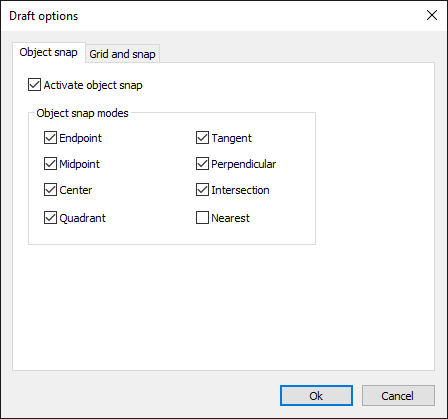
- In the dialog box, click the Object Snap tab.
- Highlight the desired object snap modes.
- Exit the dialog with OK.